

The most common small business website mistakes are a site that doesn’t work well on phones, slow loading, a hidden phone number or contact button, broken contact forms, missing local SEO basics, out-of-date information, unclear messaging, no security updates or backups, not owning your domain, and no way to measure results. Most can be fixed in a few hours to a few weeks, and the phone and contact fixes usually pay off fastest.
Plenty of small businesses have a website that technically works but quietly loses customers every week. The phone number is hard to find, the page loads slowly, or the hours are two years out of date. Nobody complains. They just call the next business on Google.
The good news is that most of these problems are common, easy to spot and cheap to fix. Below are the 10 mistakes that show up most often on small business websites, what each one costs you, and how to fix it.
Which Website Mistakes Cost Small Businesses the Most?
Here is the full list at a glance. The rest of this guide walks through each one.
| # | Mistake | What it costs you | Typical fix |
| 1 | Not built for phones | Mobile visitors leave before calling | Responsive redesign or theme update |
| 2 | Slow loading pages | Visitors give up before the page appears | Compress images, better hosting, fewer plugins |
| 3 | Phone number and contact button hidden | Interested visitors can’t reach you | Tap-to-call button at the top of every page |
| 4 | Broken or ignored contact forms | Leads disappear without you knowing | Test the form and check where it sends |
| 5 | No local SEO basics | You don’t show up in local searches | Page titles, service areas, Google Business Profile link |
| 6 | Out-of-date information | Customers think you’re closed or careless | Monthly content check |
| 7 | Unclear about what you do | Visitors can’t tell if you can help them | Clear headline: service + area + next step |
| 8 | No updates, security or backups | Hacked or broken site, expensive repairs | Maintenance plan with backups |
| 9 | You don’t own your domain or site | Hard and costly to switch providers | Move accounts into your business name |
| 10 | No way to measure results | You can’t tell what’s working | Install Google Analytics 4 and Search Console |
If more than three or four of these apply to your site, patching them one by one may cost more than starting fresh. In that case, website development services that rebuild the site properly can be the cheaper option over the next couple of years.
Does Your Website Work Properly on a Phone?
Most local searches happen on phones, often when someone needs help right now. If your site is hard to use on a small screen, you lose those customers first.
Mistake 1: The site isn’t built for phones
Signs to look for: text you have to zoom in to read, buttons too close together to tap, and pages that scroll sideways. The fix is a responsive design that adjusts to any screen. Experienced front-end developers can often update an existing site this way without a full rebuild.
Mistake 2: Pages load too slowly
Google’s own research found that 53% of mobile visits are abandoned when a page takes longer than three seconds to load. The usual causes are huge photos, cheap shared hosting and too many add-ons. Shrinking images and removing unused plugins often makes a noticeable difference in an afternoon.
Can Customers Easily Contact You?
Your website has one main job for a local business: getting people to call, book or ask for a quote. These two mistakes break that job directly.
Mistake 3: The phone number and contact button are hidden
If your phone number is buried in the footer or only on a Contact page, many visitors won’t look for it. Put a tap-to-call number and one clear button, like “Book a Visit” or “Get a Free Quote”, at the top of every page.
Mistake 4: Contact forms are broken or nobody checks them
Forms fail more often than owners realize. An email setting changes, a plugin updates, and messages start landing in spam or nowhere at all. Fill out your own form today, and repeat the test every month.
Can People Find Your Business on Google?
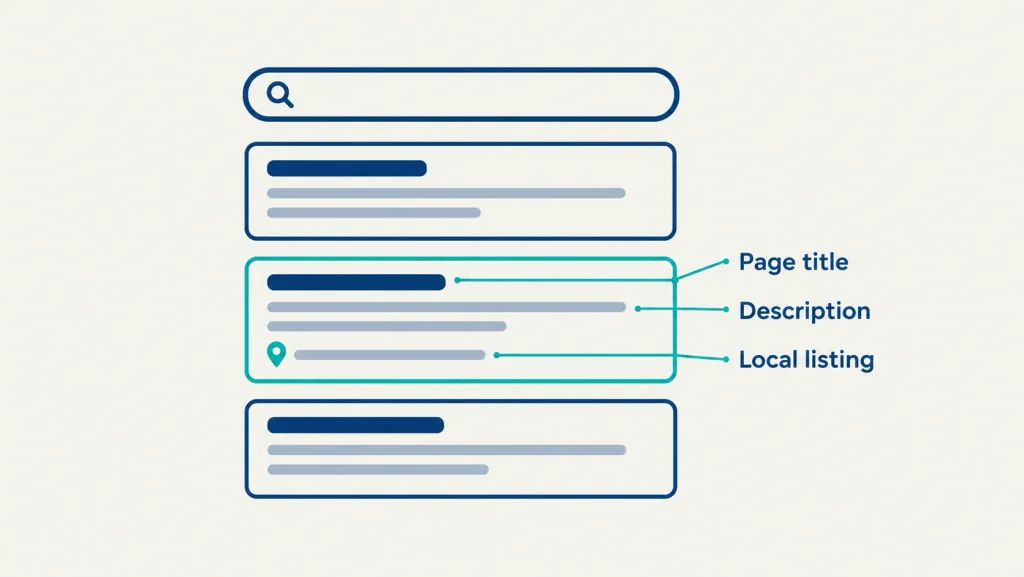
A good-looking website doesn’t help if nobody finds it. For local businesses, a few basics make a big difference.
Mistake 5: No local SEO basics
Every page needs a clear title, your town or service area in the text, and your business name, address and phone number written the same way everywhere. Link your website to your Google Business Profile too. Good search engine optimization starts with these basics before anything advanced.
Mistake 6: Information is out of date
Old opening hours, discontinued services, last year’s prices and a 2019 copyright date all make customers wonder if you are still in business. Set a calendar reminder to read through your site once a month and update anything that has changed.
Is It Clear What You Do and Who You Serve?
Mistake 7: The homepage doesn’t say what you do
Headlines like “Welcome to our website” or “Quality you can trust” tell visitors nothing. A strong headline answers three questions in one line: what you do, where you do it, and what the visitor should do next. For example: “Emergency plumbing in Wood Dale and nearby suburbs. Call now for same-day service.”
Your website should also match your other marketing. If your ads, social posts and website all say different things, people get confused. A simple digital marketing strategy keeps your message the same everywhere customers see you.
Is Your Website Secure, Owned and Measured?
The last three mistakes are invisible until something goes wrong, which is exactly why they are easy to ignore.
Mistake 8: No updates, security or backups
Websites need regular software updates, security checks and backups, especially WordPress sites with many plugins. Skipping them can leave your site hacked or broken, and fixing that later usually costs far more than prevention. Many owners hand this off to a website care plan so it happens every month without them thinking about it.
Mistake 9: You don’t own your domain or website
Some businesses discover too late that their domain, hosting or site files are registered to a former designer or locked inside a website builder. Check that your domain and hosting accounts are in your business name and that you have admin access. If your site runs on WordPress, make sure you can export everything; proper WordPress development should leave you with full ownership.
Mistake 10: No way to measure results
Without Google Analytics 4 and Google Search Console, you can’t tell how many people visit, how they find you, or whether your changes are working. Both are free and take less than an hour to set up.
Which Fixes Should You Make First?
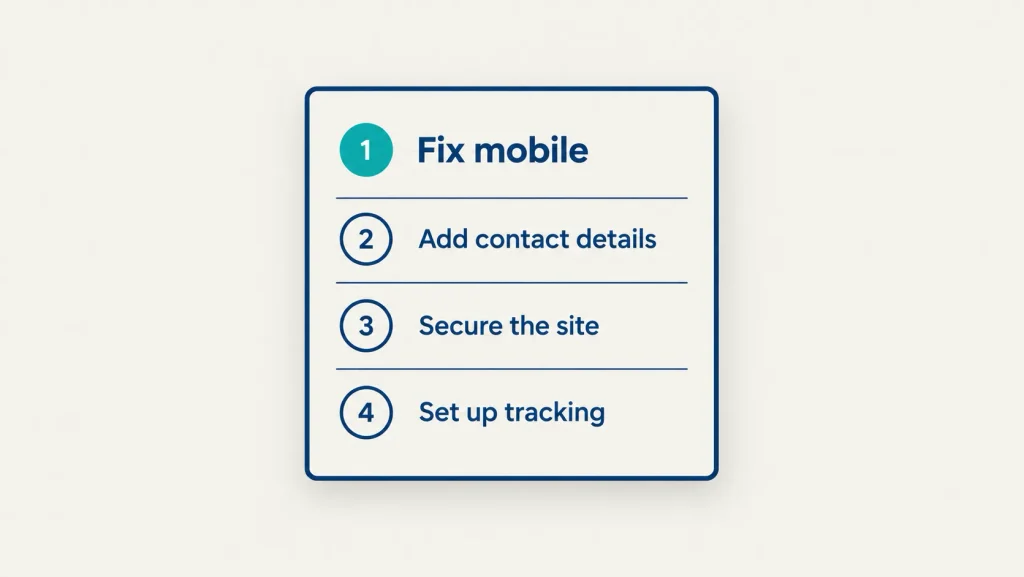
You don’t have to fix everything at once. Start with the changes that bring in calls fastest and cost the least.
| Priority | Fix | Effort | DIY or hire help? |
| Do this week | Tap-to-call button and clear contact button (3) | Under 1 hour | Usually DIY |
| Do this week | Test your contact form (4) | 15 minutes | DIY |
| Do this week | Update hours, prices and services (6) | 1 to 2 hours | DIY |
| Do this month | Rewrite the homepage headline (7) | 1 to 2 hours | DIY or copywriter |
| Do this month | Set up Analytics and Search Console (10) | Under 1 hour | DIY or developer |
| Do this month | Confirm you own your domain and hosting (9) | 1 hour | DIY |
| Plan for | Local SEO basics (5) | Ongoing | Often hire help |
| Plan for | Mobile design and speed fixes (1, 2) | Days to weeks | Hire help |
| Plan for | Maintenance, security and backups (8) | Ongoing | Hire help |
How Does TruTransit Solutions Help Fix These Problems?
At TruTransit Solutions, most small business website projects start with a quick review of exactly these 10 issues, so owners know what to fix, what can wait and what is worth rebuilding. For many local businesses the fixes fit within the Starter ($399) or Growth ($599) plans, which cover mobile-responsive design, on-page SEO and a layout built around getting calls and form leads.
Frequently Asked Questions
What is the most common mistake on small business websites?
The most common one is a site that’s hard to use on a phone, especially a phone number that isn’t easy to find or tap. Since most local searches happen on mobile, this mistake usually costs the most calls.
How do I know if my website is losing customers?
Look for signs like few contact form messages compared to the visits you get, people calling to ask questions your site should answer, or customers mentioning they couldn’t find something. Google Analytics 4 can also show how many visitors leave without doing anything.
Can I fix my website myself or do I need a professional?
Many fixes are DIY-friendly: updating information, testing your form, adding a tap-to-call button and rewriting your headline. Mobile design, speed, security and SEO usually need someone with technical experience to do them properly.
How often should I check my website for problems?
Do a quick check once a month: test the contact form, check your hours and prices, and open the site on your phone. A deeper review of speed, SEO and security every six to twelve months catches bigger issues before they cost you.
Should I fix my old website or build a new one?
If only a few of these mistakes apply, fixing them is usually cheaper. If your site fails most of them, is very slow or can’t be updated easily, a new website often costs less over time than repeated repairs.
Your website doesn’t need to be perfect to bring in customers. It needs to load quickly, work on phones, say clearly what you do and make it easy to contact you. Start with this week’s fixes and work through the rest over the next month.
If you’d like someone to check your site against this list and tell you what to fix first, book a free consultation with our team. You’ll get a clear, honest answer, with no pressure to rebuild if you don’t need to.